Troubleshoot checkout and payments
Check a blocked or uncertain sale before retrying or asking the customer to pay again.
The cart will not load or a product is missing
Confirm the business and read the loading or error message. Check your connection and search the product name or SKU. Do not create a duplicate product or assume an old displayed count is current.
You cannot continue
Review the cart's product, quantity, unit, and price. Follow the specific error shown. Use Continue to Payment or Pay after the cart is valid.
If you cannot verify the total, stop. Do not change prices or Inventory counts to work around the failure.
Complete Sale is disabled or rejected
Wait for the total to finish loading. Verifying prices, discounts, and tax... means it is still being checked.
Select CASH, CARD, or an available CREDIT option.
For credit, confirm the eligible customer and Confirm credit charge.
If delivery is included, check Delivery address and the fee details.
Resolve the actual validation error before submitting once.
A payment-method choice records the method; it is not proof that money moved outside DRX.
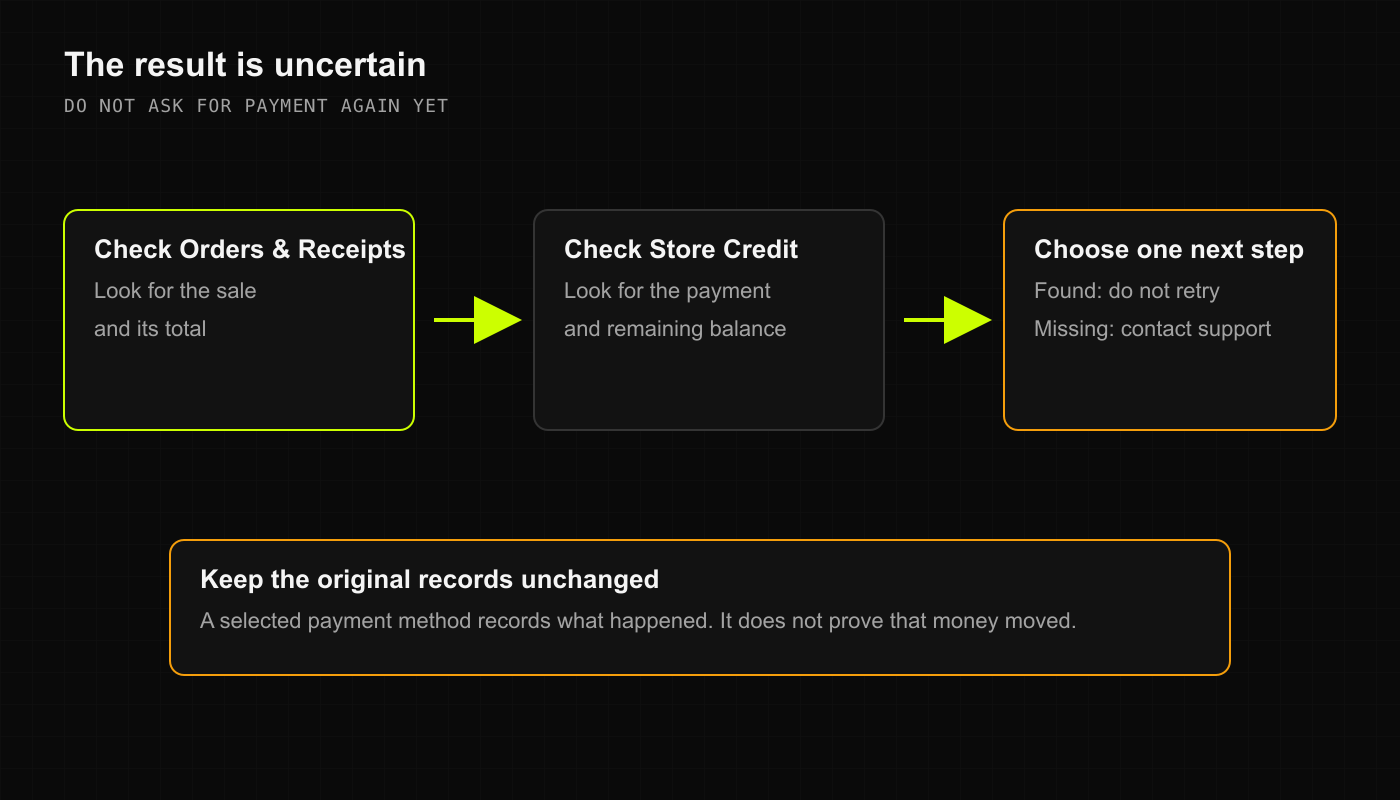
The result is uncertain
Keep the checkout open and note the time and any order reference.
Check Orders & Receipts for a matching saved sale in the same business.
Verify whether the payment was actually received through your shop's payment process.
Ask an authorized manager to reconcile the sale and payment before retrying.
Do not start a new cart, change payment methods, clear browser data, or take a second payment merely because confirmation was delayed. This guide does not promise that a failed connection queues a sale for later.
A receipt did not arrive
Check the saved sale first. The PRINT or SMS choice is not proof of delivery. Review the shop's printer or message service separately. Do not repeat checkout to resend a receipt.